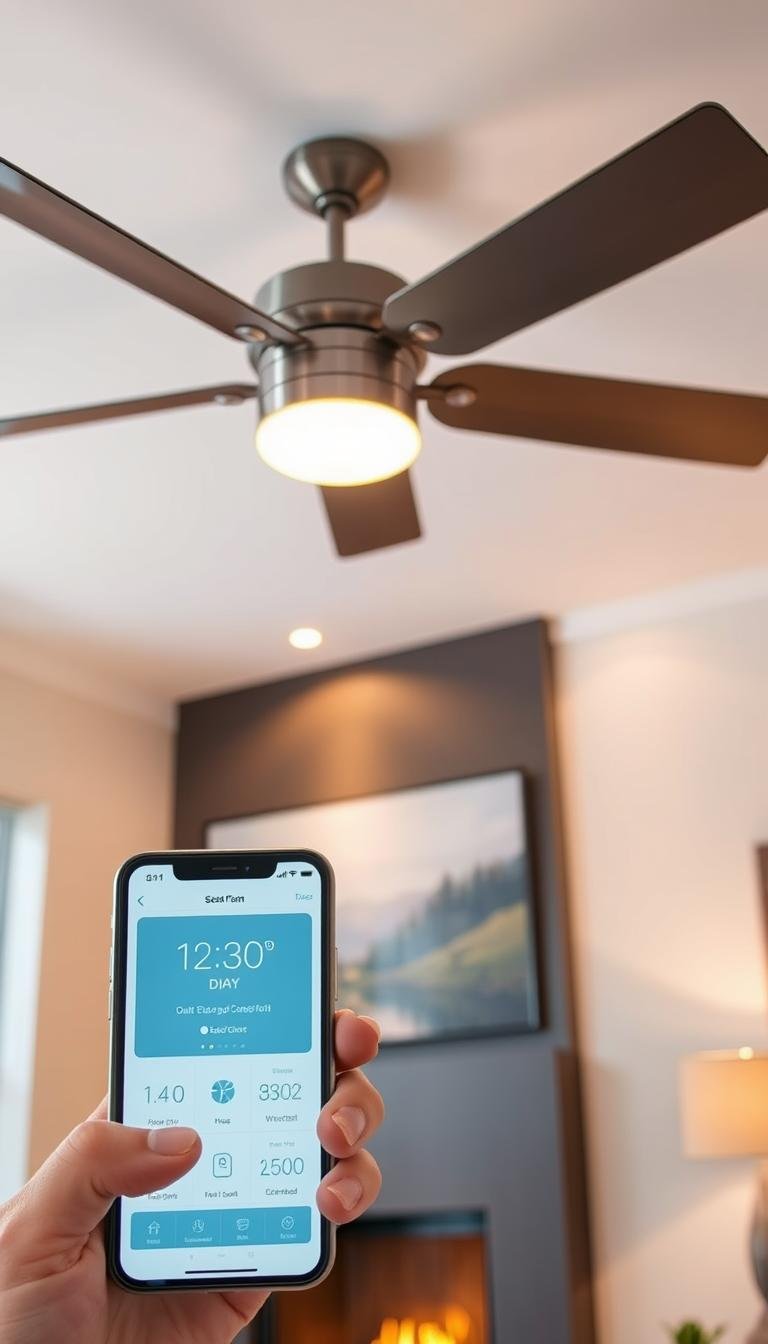
If app-based reverse control is the feature you care about most, verify it explicitly before buying. Many “smart” ceiling fans expose speed and lighting in an app but still require a handheld remote or a switch on the motor housing to change direction.
This guide focuses on the checks that matter before purchase: app controls, smart-home compatibility, motor type, network requirements, lighting control, installation constraints, and seasonal reverse operation.
Start with the feature list, not the word “smart”
Look at the manufacturer’s current app documentation and confirm that fan direction is available as an app control. If the documentation only mentions speed, power, schedules, or lighting, do not assume reverse control is included.
- Confirm direction/reverse control in the manufacturer app.
- Check whether reverse is also available through Alexa, Google Home, Apple Home, or another platform you use.
- Verify whether the feature works on every model in the product family or only selected versions.
- Check whether the app requires a cloud account, Bluetooth, Wi-Fi, or a separate bridge.
Built-in smart fan or retrofit receiver?
A fan with built-in smart controls is usually the cleaner route for a new installation. The motor, receiver, remote, app, and light controls are designed as one system.
A retrofit receiver can make sense when the existing fan is otherwise worth keeping, but compatibility is more complicated. The receiver must match the fan’s motor and light system, fit inside the canopy, and be approved for that specific application.
| Option | Best fit | Main check |
|---|---|---|
| Built-in smart fan | New installation or replacement | App exposes reverse, speed and lighting |
| Manufacturer accessory receiver | Compatible existing fan | Exact model compatibility and canopy space |
| Universal retrofit receiver | Selected conventional fans | Motor/light compatibility and installation instructions |
Check the motor and speed controls
DC-motor fans often provide more speed steps and electronic direction control, which can make app-based reversing easier to implement. AC fans can also be smart, but control options vary widely by model.
Do not choose by motor type alone. Compare the actual number of speeds, noise claims, airflow data, warranty, and the controls shown in the current manual or app documentation.
Confirm smart-home compatibility
If you want voice control or automations, check the exact integrations the manufacturer currently supports. Compatibility can change as apps and platforms are updated.
- Look for current support for Alexa, Google Home, Apple Home, Matter, or another system you already use.
- Check whether fan speed, direction, and lighting are all exposed to that platform.
- Verify whether household sharing is supported if multiple people need app access.
Wi-Fi and pairing requirements
Many smart fans and receivers still rely on 2.4 GHz Wi-Fi because of its range and compatibility with small IoT radios. Check the current setup instructions rather than assuming every product supports 5 GHz or modern mixed-band provisioning.
If pairing fails, follow the manufacturer’s reset and network steps for the exact model. Avoid copying reset sequences from another fan or receiver; button combinations and power-cycle procedures are not universal.
Lighting compatibility matters too
If the fan includes a light kit, confirm whether the app supports on/off only or true dimming. For replaceable bulbs, use only lamp types and wattages the manufacturer permits. Integrated LED systems may use proprietary drivers and are not interchangeable with ordinary dimmable bulbs.
How reverse direction is used seasonally
Ceiling-fan direction changes how air circulates, but the correct setting depends on the fan design and the manufacturer’s instructions. Many conventional fans use a downward airflow setting for warm weather and a gentler upward circulation setting in cooler weather, but do not rely on clockwise/counterclockwise wording alone because orientation can vary by model and viewing position.
The safer rule is to use the manufacturer’s labeled summer/winter or forward/reverse setting and confirm the airflow pattern beneath the fan.
Installation checks before you buy
A ceiling fan must be supported by an electrical box and structure rated for fan use. A standard light-fixture box is not automatically suitable. For replacement or retrofit work, also verify canopy space, ceiling slope compatibility, downrod requirements, and whether the receiver must be installed in a specific location.
Turn off power at the breaker before electrical work and follow the installation manual. If the existing box, wiring, or support is uncertain, use a qualified electrician.
What to compare on a shortlist
| Feature | What to verify |
|---|---|
| Reverse control | Available directly in the app |
| Speeds | Number of usable settings and app access |
| Lighting | On/off, dimming, color controls if applicable |
| Smart-home support | Current integrations and exposed controls |
| Network | Wi-Fi band, Bluetooth or bridge requirements |
| Installation | Fan-rated support, canopy space and ceiling compatibility |
| Support | Current manual, warranty and replacement parts |
Bottom line
The best choice is not simply the fan with the longest feature list. Choose a model whose current documentation clearly shows app-based direction control, compatible smart-home support, suitable motor and light controls, and installation requirements that fit your ceiling.
For related planning, see our quiet ceiling-fan guide and Room Guides.